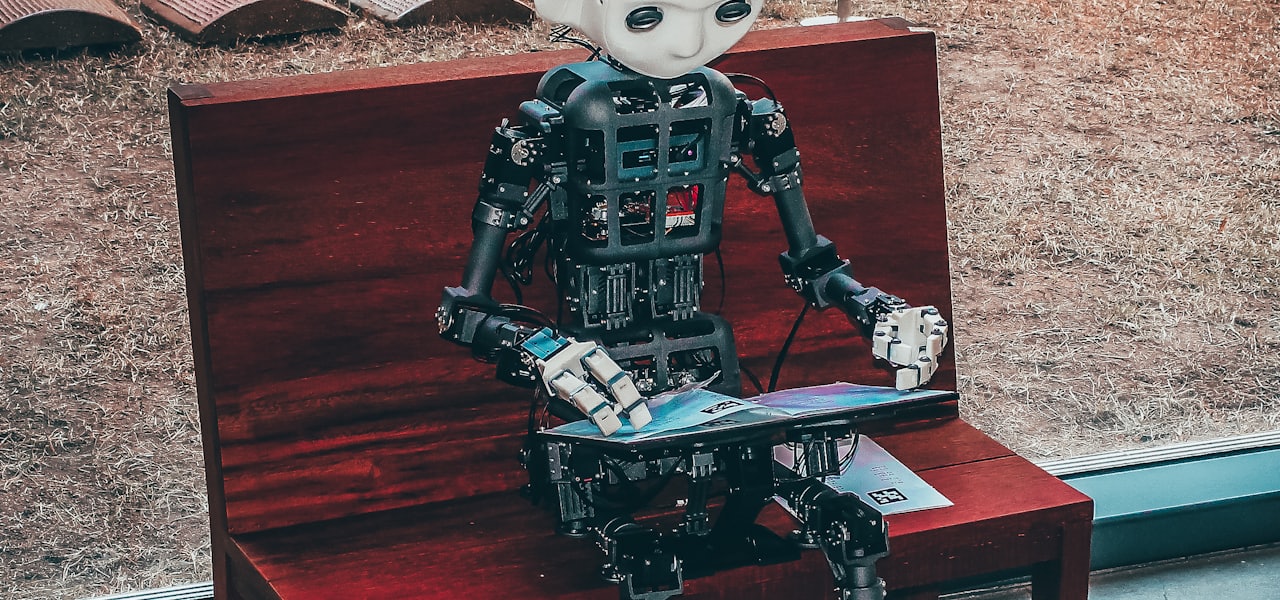
Tesla Dojo is a series of supercomputers designed and built by Tesla for computer vision video processing and recognition. It was used for training Tesla's machine learning models to improve its Full Self-Driving (FSD) advanced driver-assistance system. It went into production in July 2023. Dojo's goal was to efficiently process millions of terabytes of video data captured from real-life driving situations from Tesla's 4+ million cars. This goal led to a considerably different architecture than conventional supercomputer designs. In August 2025, Bloomberg News reported that the Dojo project had been disbanded, though it was restarted in January 2026. == History == Tesla operates several massively parallel computing clusters for developing its Autopilot advanced driver assistance system. Its primary unnamed cluster using 5,760 Nvidia A100 graphics processing units (GPUs) was touted by Andrej Karpathy in 2021 at the fourth International Joint Conference on Computer Vision and Pattern Recognition (CCVPR 2021) to be "roughly the number five supercomputer in the world" at approximately 81.6 petaflops, based on scaling the performance of the Nvidia Selene supercomputer, which uses similar components. However, the performance of the primary Tesla GPU cluster has been disputed, as it was not clear if this was measured using single-precision or double-precision floating point numbers (FP32 or FP64). Tesla also operates a second 4,032 GPU cluster for training and a third 1,752 GPU cluster for automatic labeling of objects. The primary unnamed Tesla GPU cluster has been used for processing one million video clips, each ten seconds long, taken from Tesla Autopilot cameras operating in Tesla cars in the real world, running at 36 frames per second. Collectively, these video clips contained six billion object labels, with depth and velocity data; the total size of the data set was 1.5 petabytes. This data set was used for training a neural network intended to help Autopilot computers in Tesla cars understand roads. By August 2022, Tesla had upgraded the primary GPU cluster to 7,360 GPUs. Dojo was first mentioned by Elon Musk in April 2019 during Tesla's "Autonomy Investor Day". In August 2020, Musk stated it was "about a year away" due to power and thermal issues. Dojo was officially announced at Tesla's Artificial Intelligence (AI) Day on August 19, 2021. Tesla revealed details of the D1 chip and its plans for "Project Dojo", a datacenter that would house 3,000 D1 chips; the first "Training Tile" had been completed and delivered the week before. In October 2021, Tesla released a "Dojo Technology" whitepaper describing the Configurable Float8 (CFloat8) and Configurable Float16 (CFloat16) floating point formats and arithmetic operations as an extension of Institute of Electrical and Electronics Engineers (IEEE) standard 754. At the follow-up AI Day in September 2022, Tesla announced it had built several System Trays and one Cabinet. During a test, the company stated that Project Dojo drew 2.3 megawatts (MW) of power before tripping a local San Jose, California power substation. At the time, Tesla was assembling one Training Tile per day. In August 2023, Tesla powered on Dojo for production use as well as a new training cluster configured with 10,000 Nvidia H100 GPUs. In January 2024, Musk described Dojo as "a long shot worth taking because the payoff is potentially very high. But it's not something that is a high probability." In June 2024, Musk explained that ongoing construction work at Gigafactory Texas is for a computing cluster claiming that it is planned to comprise an even mix of "Tesla AI" and Nvidia/other hardware with a total thermal design power of at first 130 MW and eventually exceeding 500 MW. In August 2025, Bloomberg News reported that the Dojo project was disbanded, though Musk announced it would be restarted in January 2026 with a new chip iteration. == Technical architecture == The fundamental unit of the Dojo supercomputer is the D1 chip, designed by a team at Tesla led by ex-AMD CPU designer Ganesh Venkataramanan, including Emil Talpes, Debjit Das Sarma, Douglas Williams, Bill Chang, and Rajiv Kurian. The D1 chip is manufactured by the Taiwan Semiconductor Manufacturing Company (TSMC) using 7 nanometer (nm) semiconductor nodes, has 50 billion transistors and a large die size of 645 mm2 (1.0 square inch). Updating at Artificial Intelligence (AI) Day in 2022, Tesla announced that Dojo would scale by deploying multiple ExaPODs, in which there would be: 10 Cabinets per ExaPOD (1,062,000 cores, 3,000 D1 chips) 2 System Trays per Cabinet (106,200 cores, 300 D1 chips) 6 Training Tiles per System Tray (53,100 cores, along with host interface hardware) 25 D1 chips per Training Tile (8,850 cores) 354 computing cores per D1 chip According to Venkataramanan, Tesla's senior director of Autopilot hardware, Dojo will have more than an exaflop (a million teraflops) of computing power. For comparison, according to Nvidia, in August 2021, the (pre-Dojo) Tesla AI-training center used 720 nodes, each with eight Nvidia A100 Tensor Core GPUs for 5,760 GPUs in total, providing up to 1.8 exaflops of performance. === D1 chip === Each node (computing core) of the D1 processing chip is a general purpose 64-bit CPU with a superscalar core. It supports internal instruction-level parallelism, and includes simultaneous multithreading (SMT). It doesn't support virtual memory and uses limited memory protection mechanisms. Dojo software/applications manage chip resources. The D1 instruction set supports both 64-bit scalar and 64-byte single instruction, multiple data (SIMD) vector instructions. The integer unit mixes reduced instruction set computer (RISC-V) and custom instructions, supporting 8, 16, 32, or 64 bit integers. The custom vector math unit is optimized for machine learning kernels and supports multiple data formats, with a mix of precisions and numerical ranges, many of which are compiler composable. Up to 16 vector formats can be used simultaneously. ==== Node ==== Each D1 node uses a 32-byte fetch window holding up to eight instructions. These instructions are fed to an eight-wide decoder which supports two threads per cycle, followed by a four-wide, four-way SMT scalar scheduler that has two integer units, two address units, and one register file per thread. Vector instructions are passed further down the pipeline to a dedicated vector scheduler with two-way SMT, which feeds either a 64-byte SIMD unit or four 8×8×4 matrix multiplication units. The network on-chip (NOC) router links cores into a two-dimensional mesh network. It can send one packet in and one packet out in all four directions to/from each neighbor node, along with one 64-byte read and one 64-byte write to local SRAM per clock cycle. Hardware native operations transfer data, semaphores and barrier constraints across memories and CPUs. System-wide double data rate 4 (DDR4) synchronous dynamic random-access memory (SDRAM) memory works like bulk storage. ==== Memory ==== Each core has a 1.25 megabytes (MB) of SRAM main memory. Load and store speeds reach 400 gigabytes (GB) per second and 270 GB/sec, respectively. The chip has explicit core-to-core data transfer instructions. Each SRAM has a unique list parser that feeds a pair of decoders and a gather engine that feeds the vector register file, which together can directly transfer information across nodes. ==== Die ==== Twelve nodes (cores) are grouped into a local block. Nodes are arranged in an 18×20 array on a single die, of which 354 cores are available for applications. The die runs at 2 gigahertz (GHz) and totals 440 MB of SRAM (360 cores × 1.25 MB/core). It reaches 376 teraflops using 16-bit brain floating point (BF16) numbers or using configurable 8-bit floating point (CFloat8) numbers, which is a Tesla proposal, and 22 teraflops at FP32. Each die comprises 576 bi-directional serializer/deserializer (SerDes) channels along the perimeter to link to other dies, and moves 8 TB/sec across all four die edges. Each D1 chip has a thermal design power of approximately 400 watts. === Training Tile === The water-cooled Training Tile packages 25 D1 chips into a 5×5 array. Each tile supports 36 TB/sec of aggregate bandwidth via 40 input/output (I/O) chips - half the bandwidth of the chip mesh network. Each tile supports 10 TB/sec of on-tile bandwidth. Each tile has 11 GB of SRAM memory (25 D1 chips × 360 cores/D1 × 1.25 MB/core). Each tile achieves 9 petaflops at BF16/CFloat8 precision (25 D1 chips × 376 TFLOP/D1). Each tile consumes 15 kilowatts; 288 amperes at 52 volts. === System Tray === Six tiles are aggregated into a System Tray, which is integrated with a host interface. Each host interface includes 512 x86 cores, providing a Linux-based user environment. Previously, the Dojo System Tray was known as the Training Matrix, which includes six Training Tiles, 20 Dojo Interface Processor cards across four host servers, and Ethernet-l
List of performance analysis tools
This is a list of performance analysis tools for use in software development. == General purpose, language independent == The following tools work based on log files that can be generated from various systems. time (Unix) - can be used to determine the run time of a program, separately counting user time vs. system time, and CPU time vs. clock time. timem (Unix) - can be used to determine the wall-clock time, CPU time, and CPU utilization similar to time (Unix) but supports numerous extensions. Supports reporting peak resident set size, major and minor page faults, priority and voluntary context switches via getrusage. Supports sampling procfs on supporting systems to report metrics such as page-based resident set size, virtual memory size, read-bytes, and write-bytes, etc. Supports collecting hardware counters when built with PAPI support. == Multiple languages == The following tools work for multiple languages or binaries. == C and C++ == Arm MAP, a performance profiler supporting Linux platforms. AppDynamics, an application performance management service for C/C++ applications via SDK. AQtime Pro, a performance profiler and memory allocation debugger that can be integrated into Microsoft Visual Studio, and Embarcadero RAD Studio, or can run as a stand-alone application. IBM Rational Purify was a memory debugger allowing performance analysis. Instruments (bundled with Xcode) is used to profile an executable's memory allocations, time usage, filesystem activity, GPU activity etc. Intel Parallel Studio contains Intel VTune Amplifier, which tunes both serial and parallel programs. It also includes Intel Advisor and Intel Inspector. Intel Advisor optimizes vectorization (use of SIMD instructions) and prototypes threading implementations. Intel Inspector detects and debugs races, deadlocks and memory errors. Parasoft Insure++ provides a graphical tool that displays and animates memory allocations in real time to expose memory blowout, fragmentation, overuse, bottlenecks and leaks. Visual Studio Team System Profiler, commercial profiler by Microsoft. == Java == inspectIT is an open-source application performance management (APM) service for monitoring and analyzing software applications, available under the Apache License, Version 2.0 (ALv2). JConsole is the profiler which comes with the Java Development Kit JProfiler JRockit Mission Control, a profiler with low overhead. Netbeans Profiler, a profiler integrated into the NetBeans IDE (internally uses jvisualvm profiler) Plumbr, Java application performance monitoring with automated root cause detection. Links memory leaks, GC inefficiency, slow database and external web service calls, locked threads, and other performance problems to the line in source code that causes them. OverOps, Continuous reliability for the modern software supply chain, automatically detect and deliver root cause automation for all errors. VisualVM is a visual tool integrating several commandline JDK tools and lightweight profiling capabilities. It is bundled with the Java Development Kit since version 6, update 7. == JavaScript == The Firefox web browser's developer tools contain a Performance tool, which gives insight into JavaScript performance of a website. Microsoft Visual Studio AJAX Profiling Extensions is a free profiling tool for JavaScript by Microsoft Research. == .NET == CLR Profiler is a free memory profiler provided by Microsoft for CLR applications. GlowCode is a performance and memory profiler for .NET applications using C# and other .NET languages. It identifies time-intensive functions and detects memory leaks and errors in native, managed and mixed Windows x64 and x86 applications. Visual Studio == PHP == BlackFire.io Dbg Xdebug is a PHP extension which provides debugging and profiling capabilities.
IQTELL
IQTELL was a productivity app that allowed users to manage email, tasks, projects, calendars, contacts, Evernotes and more in a single app. IQTELL was available as a web app, as well as an iOS and Android app. All user information was automatically synced between all devices. iOS and Android apps supported offline access. The app could be used to implement concepts and techniques described in the book Getting Things Done by David Allen. == History == IQTELL was created by Ran Flam and released in 2013. In 2014, mobile apps for iOS and Android were released. In 2015, Premium and Platinum subscription plans were introduced (while maintaining the free user version). In April 2017, a new web app was launched. On July 31, 2017, all IQTell services have been closed. == Productivity methods == IQTell was designed to fit in with the Getting Things Done (GTD) productivity methods. Users may have had utilized GTD lists, such as Inbox, Actions, Projects, Someday, Ticklers, and Reference information to process their Inbox items into relevant GTD lists. Using the web app, iOS and/or Android apps, users could deploy macros/shortcuts to quickly process their email. Email was turned into tasks (actions), projects, etc. The original email was removed from the email inbox. The email became a part of the items created (e.g. actions, project, etc.) and could also be viewed in the All Mail folder (if Gmail), or the Archive folder (if non-Gmail). Users had flexibility to use the out-of-the-box macros/shortcuts as well as edit/create additional macros. IQTELL features included email, calendars, contacts, list management, sharing and collaboration with team members. All of the features were compatible with commonly used organization software such as Evernote and iCloud.
WHATWG
The Web Hypertext Application Technology Working Group (WHATWG) was founded by representatives from Apple Inc., the Mozilla Foundation and Opera Software, leading web browser vendors in 2004. WHATWG is responsible for maintaining multiple web-related technical standards, including the specifications for the HyperText Markup Language (HTML) and the Document Object Model (DOM). The central organizational membership and control of WHATWG – its "Steering Group" – consists of Apple, Mozilla, Google, and Microsoft. WHATWG editors of the specifications ensure correct implementation, in consultation with participants, but ultimately in accordance with Steering Group member objectives. == History == The WHATWG was formed in response to the slow development of World Wide Web Consortium (W3C) Web standards and W3C's decision to abandon HTML in favor of XML-based technologies. The WHATWG mailing list was announced on 4 June 2004, two days after the initiatives of a joint Opera–Mozilla position paper had been voted down by the W3C members at the W3C Workshop on Web Applications and Compound Documents. On 10 April 2007, the Mozilla Foundation, Apple, and Opera Software proposed that the new HTML working group of the W3C adopt the WHATWG's HTML5 as the starting point of its work and name its future deliverable as "HTML5" (though the WHATWG specification was later renamed HTML Living Standard). On 9 May 2007, the new HTML working group of the W3C resolved to do that. An Internet Explorer platform architect from Microsoft was invited but did not join, citing the lack of a patent policy to ensure all specifications can be implemented on a royalty-free basis. Since then, the W3C and the WHATWG had been developing HTML independently, at times causing specifications to diverge. In 2017, the WHATWG established an intellectual property rights agreement that includes a patent policy. This spurred a renewed attempt to allow the W3C and the WHATWG to work together on specifications. In 2019, the W3C and WHATWG agreed to a memorandum of understanding where development of HTML and DOM specifications would be done principally in the WHATWG. The editor has significant control over the specification, but the community can influence the decisions of the editor. In one case, editor Ian Hickson proposed replacing the
Twproject
Twproject (say: T W Project) is a web-based project and groupware management tool created by Open Lab, an Italian software house founded in 2001. It won the 17th Jolt Productivity Award in 2007 in the project management category. In March 2019 it becomes property of Twproject company. It has widespread use in universities as a teaching tool in project management courses. It is used by Oracle Corporation, Prada, Calzedonia, General Electric and many other companies from corporations to small start-ups. == History == April 2001 - The idea of Teamwork came to Open-Lab founders from a need to overcome the PM tools used at that time. It was built in Microsoft ASP and Adobe Flash November 2002 - Open-Lab decide to move from Flash to HTML and from ASP to Java-JSP. Teamwork 2 development is started. June 2004 - Teamwork 2 released, using top open-source technologies like Hibernate, jBlooming, dynamic CSS, Ajax 7 January 2005 - Teamwork goes open source, under LGPL license; remains such until June 2006 (18 months): it is a hit application on SourceForge, with 38.000 downloads, covered by greeting but starving April 2005 - Open-Lab takes the decision to change commercial strategy to finance development of Teamwork version 3 6 June 2006 - Teamwork 3 is finally out (15 months development). New interface, many new features, agile support and much more 27 March 2007 - Teamwork wins the 2007 JOLT Productivity Awards for project management category July 2007 - Teamwork 4 development started: new interface, extended use of new HTML capabilities, JS-oriented interface, start using jQuery February 2009 - Teamwork 4.0 is out February 2010 - Teamwork 4.4: public project pages, Chinese interface. jQuery is getting more space in Teamwork December 2010 - Teamwork 4.6: released Mobile module available for iPhone, Android, BlackBerry. Intensive usage of jQuery June 2011 - Teamwork 4.7: released Issue Kanban / Organizer January 2012 - Teamwork 5.0 development started. Lighter interface, extensive usage of dynamic pages, easier installer and first time approach. Learning curve highly reduced. A jQuery Gantt editor included and released free for the community July 2012 - Teamwork 5 released and also the free online Gantt editor November 2012 - Teamwork 5.1 with new trees and improved model for staffing March 2013 - Teamwork 5.2 with stronger support for customizations and Japanese interface. April 2014 - Teamwork has changed its name in Twproject because the domain teamwork.com has been purchased by Teamwork. April 2013 - Twproject 5.4 with a redesigned more powerful Gantt chart. August 2015 - Twproject 5 finale release. September 2015 - Twproject 6 with a completely redesigned user interface. March 2019 - A new company Twproject srl has been spun off. September 2021 - Twproject 7 has been released introducing WBS based management and workload management. == Features == Project & task management (with Microsoft Project import/export), and JSON format Gantt editor. Uses jQuery Gantt components Time tracking. Several entry points: dashboard, weekly view, issues, start/stop buttons Resource planning with weekly/monthly view, work load overview, unavailability from agenda Issue tracking & planning(with Kanban), e-mail integration, task dedicated inboxes Dashboard configuration, with customizable portlets and layout Message boards Scrum module Meeting and minute management, attached documents Agenda (Integrates with iCal, Microsoft Outlook, Microsoft Entourage, and Google Calendar) Document management, remote file systems link with NTFS, FTP, SVN, S3 (Dropbox, Google drive) Mobile application for iPhone, iPad, Android, Blackberry, Windows phone == Integration == A complete JSON API is available for integrations. The applications runs in Java JDK 8+ on the Hibernate object/relational mapping. The standard distribution uses Apache Tomcat 9, but can run on any J2EE application server. Twproject is tested on these DB servers: MySQL, Oracle, SQL Server, PostgreSql, HSQLDB, but as uses Hibernate can run on many others. There is simple graphical step-by-step installer for Windows, Mac, Linux, .zip/.tar.gz/.rpm packages.
Inductive bias
The inductive bias (also known as learning bias) of a learning algorithm is the set of assumptions that the learner uses to predict outputs of given inputs that it has not encountered. Inductive bias is anything which makes the algorithm learn one pattern instead of another pattern (e.g., step-functions in decision trees instead of continuous functions in linear regression models). Learning involves searching a space of solutions for a solution that provides a good explanation of the data. However, in many cases, there may be multiple equally appropriate solutions. An inductive bias allows a learning algorithm to prioritize one solution (or interpretation) over another, independently of the observed data. In machine learning, the aim is to construct algorithms that are able to learn to predict a certain target output. To achieve this, the learning algorithm is presented some training examples that demonstrate the intended relation of input and output values. Then the learner is supposed to approximate the correct output, even for examples that have not been shown during training. Without any additional assumptions, this problem cannot be solved since unseen situations might have an arbitrary output value. The kind of necessary assumptions about the nature of the target function are subsumed in the phrase inductive bias. A classical example of an inductive bias is Occam's razor, assuming that the simplest consistent hypothesis about the target function is actually the best. Here, consistent means that the hypothesis of the learner yields correct outputs for all of the examples that have been given to the algorithm. Approaches to a more formal definition of inductive bias are based on mathematical logic. Here, the inductive bias is a logical formula that, together with the training data, logically entails the hypothesis generated by the learner. However, this strict formalism fails in many practical cases in which the inductive bias can only be given as a rough description (e.g., in the case of artificial neural networks), or not at all. == Types == The following is a list of common inductive biases in machine learning algorithms. Maximum conditional independence: if the hypothesis can be cast in a Bayesian framework, try to maximize conditional independence. This is the bias used in the Naive Bayes classifier. Minimum cross-validation error: when trying to choose among hypotheses, select the hypothesis with the lowest cross-validation error. Although cross-validation may seem to be free of bias, the "no free lunch" theorems show that cross-validation must be biased, for example assuming that there is no information encoded in the ordering of the data. Maximum margin: when drawing a boundary between two classes, attempt to maximize the width of the boundary. This is the bias used in support vector machines. The assumption is that distinct classes tend to be separated by wide boundaries. Minimum description length: when forming a hypothesis, attempt to minimize the length of the description of the hypothesis. Minimum features: unless there is good evidence that a feature is useful, it should be deleted. This is the assumption behind feature selection algorithms. Nearest neighbors: assume that most of the cases in a small neighborhood in feature space belong to the same class. Given a case for which the class is unknown, guess that it belongs to the same class as the majority in its immediate neighborhood. This is the bias used in the k-nearest neighbors algorithm. The assumption is that cases that are near each other tend to belong to the same class. == Shift of bias == Although most learning algorithms have a static bias, some algorithms are designed to shift their bias as they acquire more data. This does not avoid bias, since the bias shifting process itself must have a bias.
JBoss Tools
JBoss Tools is a set of Eclipse plugins and features designed to help JBoss and JavaEE developers develop applications. It is an umbrella project for the JBoss developed plugins that will make it into JBoss Developer Studio. == Modules == JBoss Tools includes the following modules: Visual Page Editor (VPE). The visual editor contributed by Exadel supports visual editing of HTML and JSF (JSP and Facelets) pages. VPE also includes visual support for JSF component libraries including JBoss RichFaces. Seam Tools. Includes support for (for example) seam-gen, RichFaces VE integration, Seam related code completion and refactoring. Hibernate Tools. Supporting mapping files, annotations and JPA with reverse engineering, code completion, project wizards, refactoring, interactive HQL/JPA-QL/Criteria execution and more. In short a merger of Hibernate Tools and Exadel ORM features. JBoss AS Tools. Easy start, stop and debug of JBoss AS 4+ servers from within Eclipse. Also includes features for packaging and deployment of any type of Eclipse project. Drools IDE. Rules file editing, Rete View, working memory debugging/inspection and more. jBPM Tools. jBPM workflow editing, deployment, etc. JBossWS Tools. Inspecting, invoking, developing and functional/load/compliance testing of web services over HTTP, base tooling provided by soapUI with the addition of JBossWS specific features/support. JBoss ESB Tools. The structured xml editor for the jboss-esb.xml file used in JBoss ESB. Birt Tools. Hibernate and Seam extensions for Eclipse BIRT. Portal Tools. JBoss Tools supports the JSR-168 Portlet Specification (Portlet 1.0), JSR-286 Portlet Specification (Portlet 2.0) and works with PortletBridge for supporting Portlets in JSF/Seam applications. To enable these features, add the JBoss Portlet facet to a new or an existing web project. Core/General Tools. To reduce the UI clutter, most of the "configure project" menu items move into the Configure menu introduced in Eclipse 3.5 instead of always having a static JBoss Tools menu entry show up even in projects unrelated to JBoss Tools. Smooks Tools. The editor for Smooks configuration files. JBoss ESB Tools. The ESB project Wizard, which creates a project that can be deployed as an .esb archive to a JBoss AS-based server with JBoss ESB installed. JMX Tools. JMX Tools allows establishing multiple JMX connections and provides views for exploring the JMX tree and execute operations directly from Eclipse. The JMX Tools replaces the JMX node previously available in the JBoss Server View. JST/JSF Tools. RichFaces Support, Code Assists, Web XML/JSP/XHTML Editors, CSS Style Editing, web.xml validation, Faceleted taglib in taglib.xml is supported with XSD schema location. Project Examples. The experimental feature called Project Example wizard aims to allow users to download example projects from a remote site and have them working out-of-the-box. AS/Project Archives Tools. To deploy projects compressed, configurable in the server editor. If enabled, all projects deployed to that server will be compressed instead of in an exploded folder. Maven Tools. The optional integration with m2eclipse to provide Maven support for projects created by JBoss Tools and to some extent core WTP projects. BPEL Tools. A BPEL Editor based on the Eclipse BPEL project has been added to JBoss Tools. This means that users can create, edit and deploy BPEL artifacts for the Riftsaw BPEL Runtime. CDI (JSR-299) Tools. Support of the Contexts and Dependency Injection annotations; it works on any Eclipse Java project (via the Configure menu with CDI enabled).